
Financial investigation software
Turn financial evidence into answers, not spreadsheets
Oscar extracts every transaction from bank, credit card and trading statements, checks the figures against the statement itself, and records every change. No templates. Nothing to install.
Trusted by leading organisations


Capabilities
Built for work that has to stand up
Read anything
Scanned, photographed or password-protected. Oscar identifies the document and finds the tables without a template.
Check the figures
Balances, section totals and structure are reconciled automatically. Oscar tells you where it is unsure.
Show your working
Every figure traces back to the page it came from, and every edit is recorded.
The document canvas
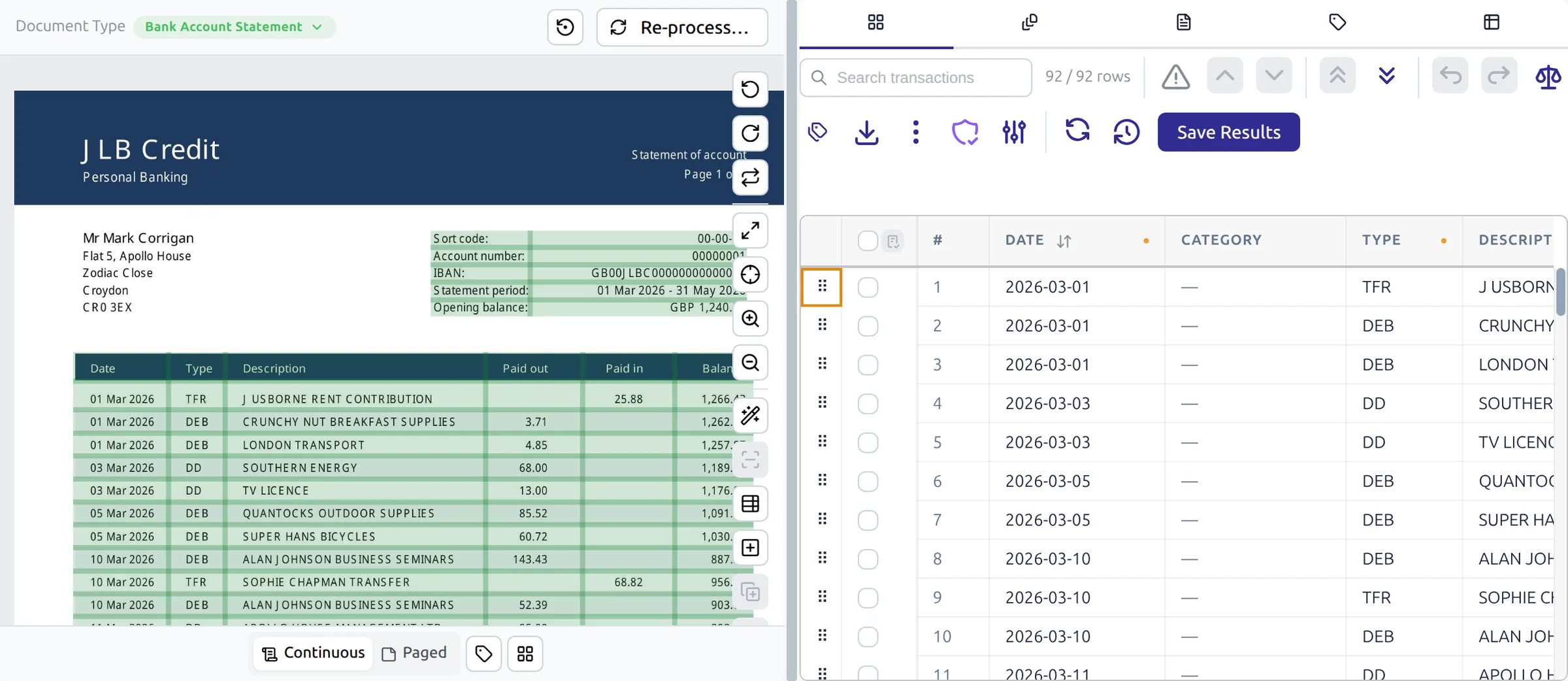
Every page beside every row it produced
Oscar fits an extraction grid to each page and puts the rows it read alongside. Click a row and the page jumps to the line it came from, so checking a figure takes seconds. This is a statement from Oscar's sample project, processed by Oscar.
Results
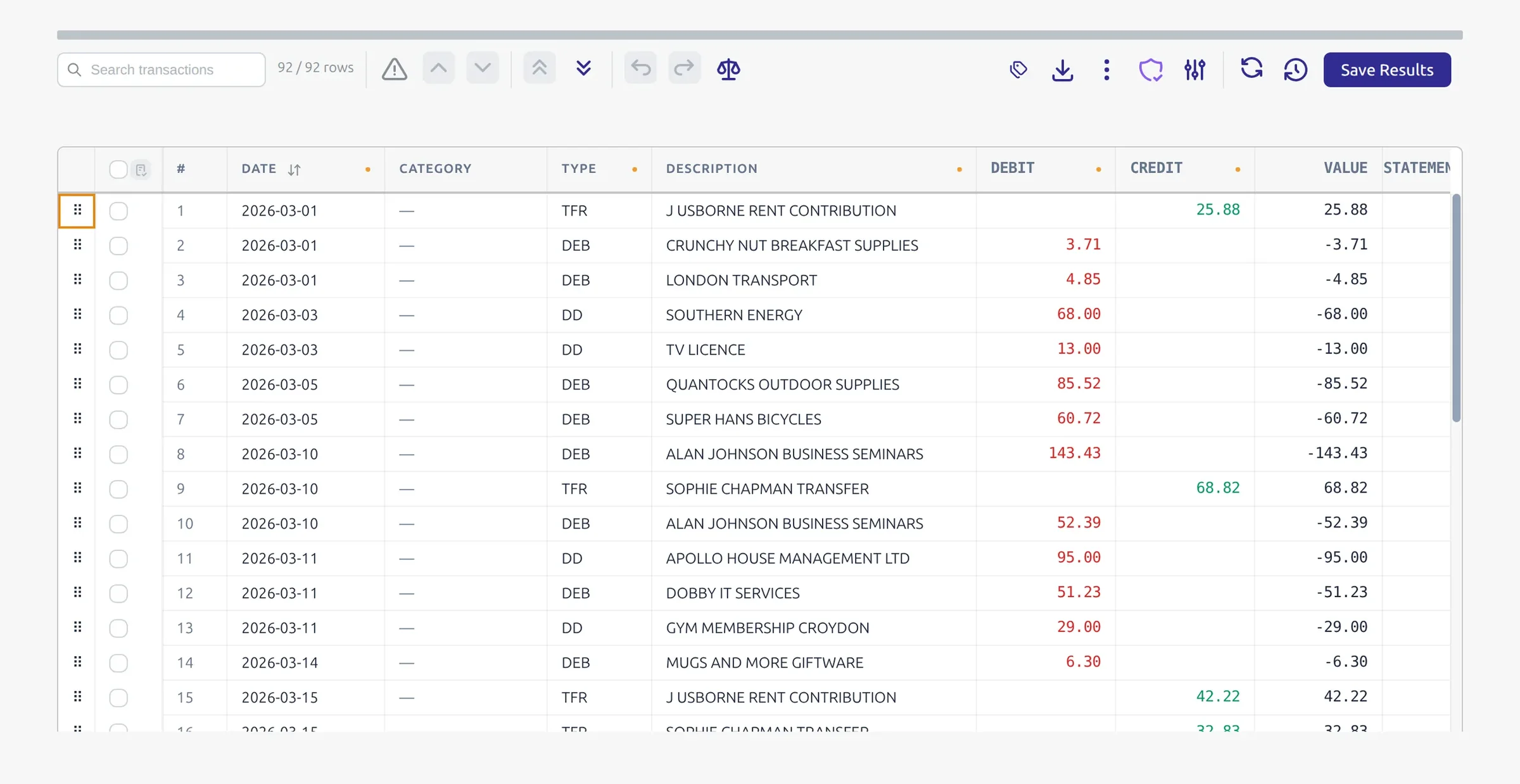
A clean table, ready to export
Dates, transaction types, descriptions, money out and money in, row by row: 92 rows from a four-page statement, each one editable, with every change recorded. Export to Excel, CSV, plain text or Markdown.
Three statement types, one workflow
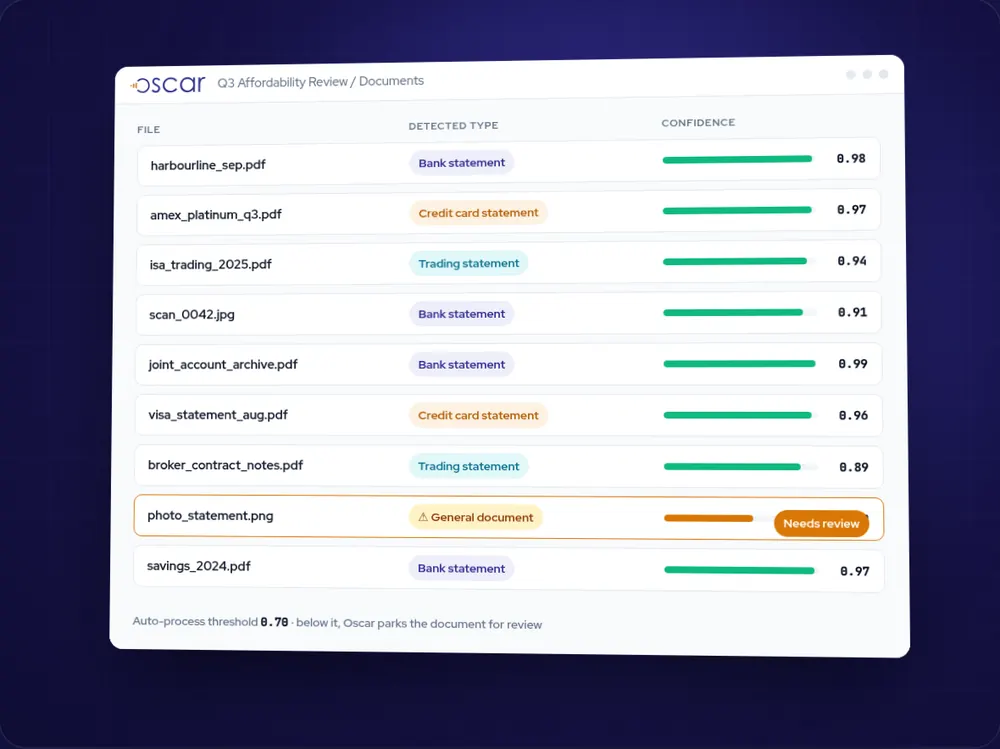
Bank statements, credit card statements and trading statements all go through the same workflow. Oscar works out which is which, and you can change it in one click. Invoice processing is available through scoped integrations.
AI summaries
An AI summary built on the extracted rows
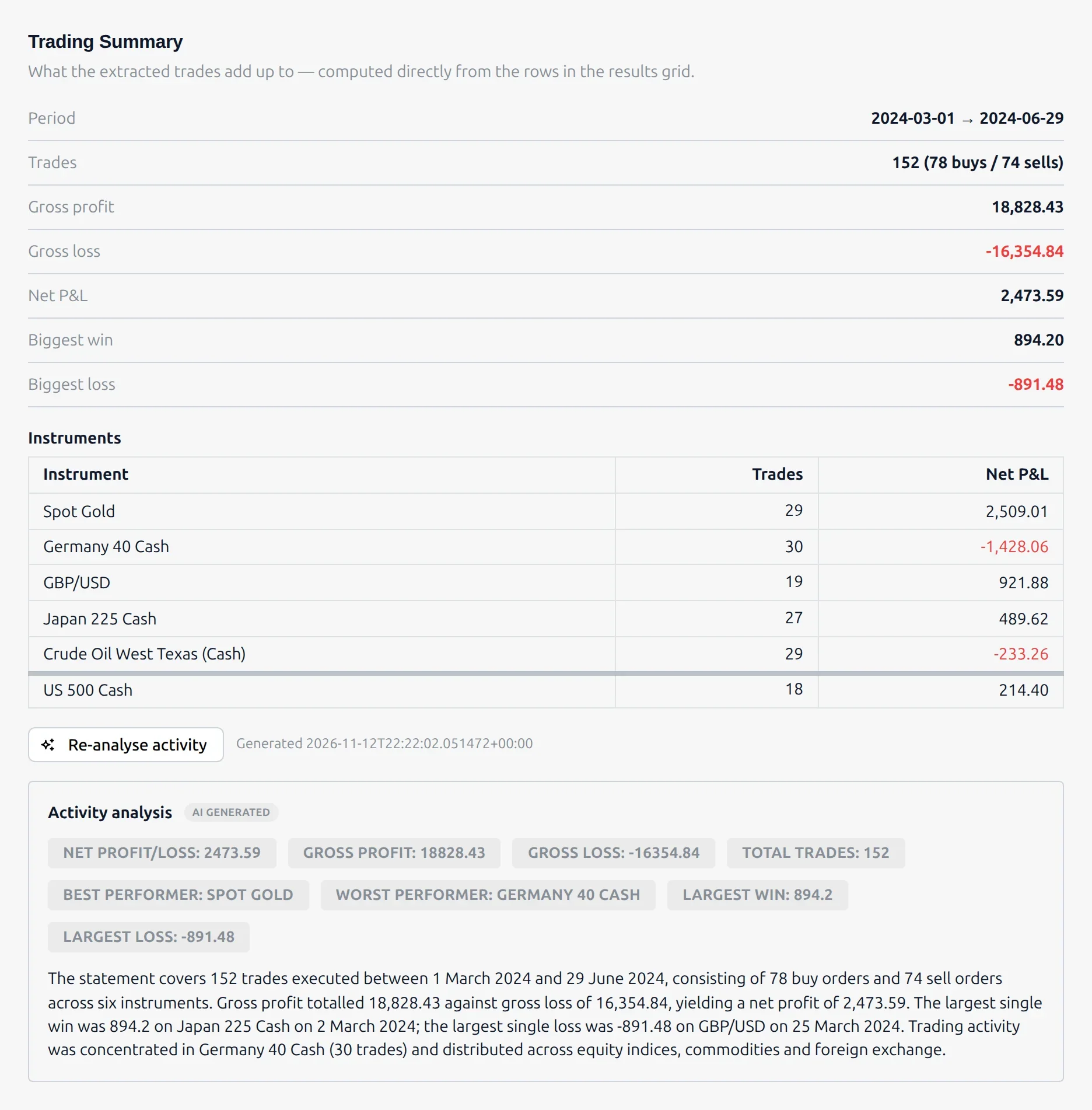
For trading statements, Oscar totals every extracted trade, from buys and sells to gross profit, gross loss and net P&L by instrument, then writes a plain-English summary of the activity from those totals. Each summary is labelled AI generated. Included on the Growth and Plus plans.
Solutions
Built for your sector
Investigators, regulators, insolvency practitioners and advisers.
Forensic Accounting & Advisory
Stop paying expert rates for data entry.
Learn moreGovernment & Regulators
Statement processing at departmental volume.
Learn moreInsolvency
Turn the box of statements into usable data.
Learn moreInsurance
Claims document data, captured automatically.
Learn moreLaw Enforcement
Statement analysis for economic crime and fraud teams.
Learn moreLegal Services
Turn financial disclosure into usable data.
Learn moreExtraction is the start. Analysis is next.
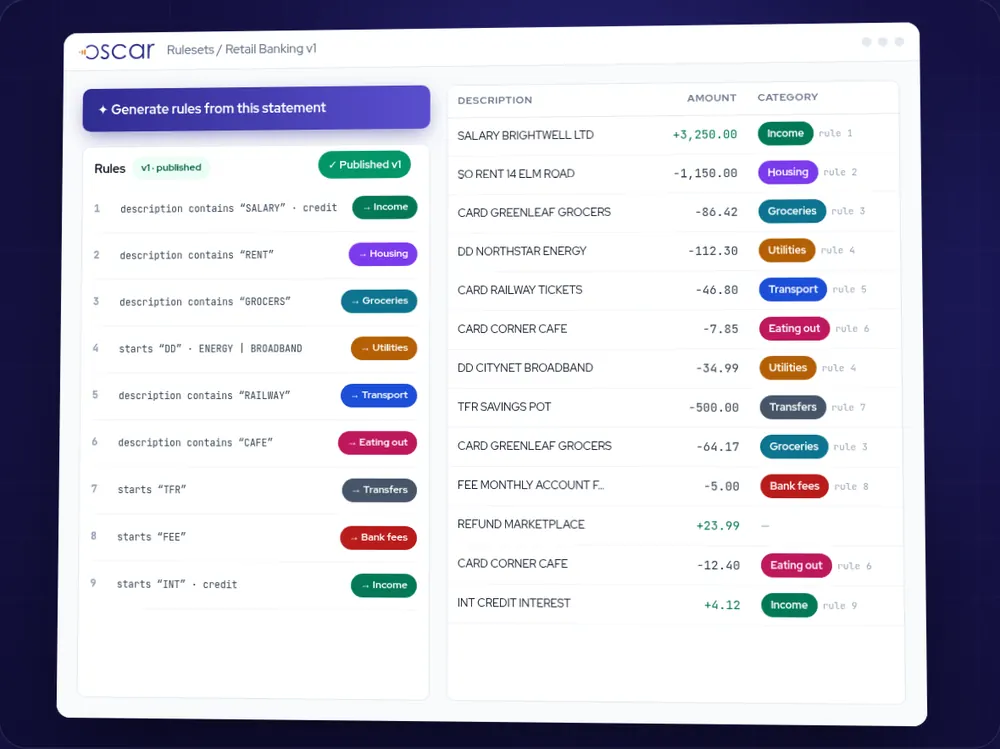
Classification sorts transactions into categories you define, with Oscar drafting the rules. Flow of funds traces money between accounts. Both are in development, and early access is open.
Teams
One balance for the whole team
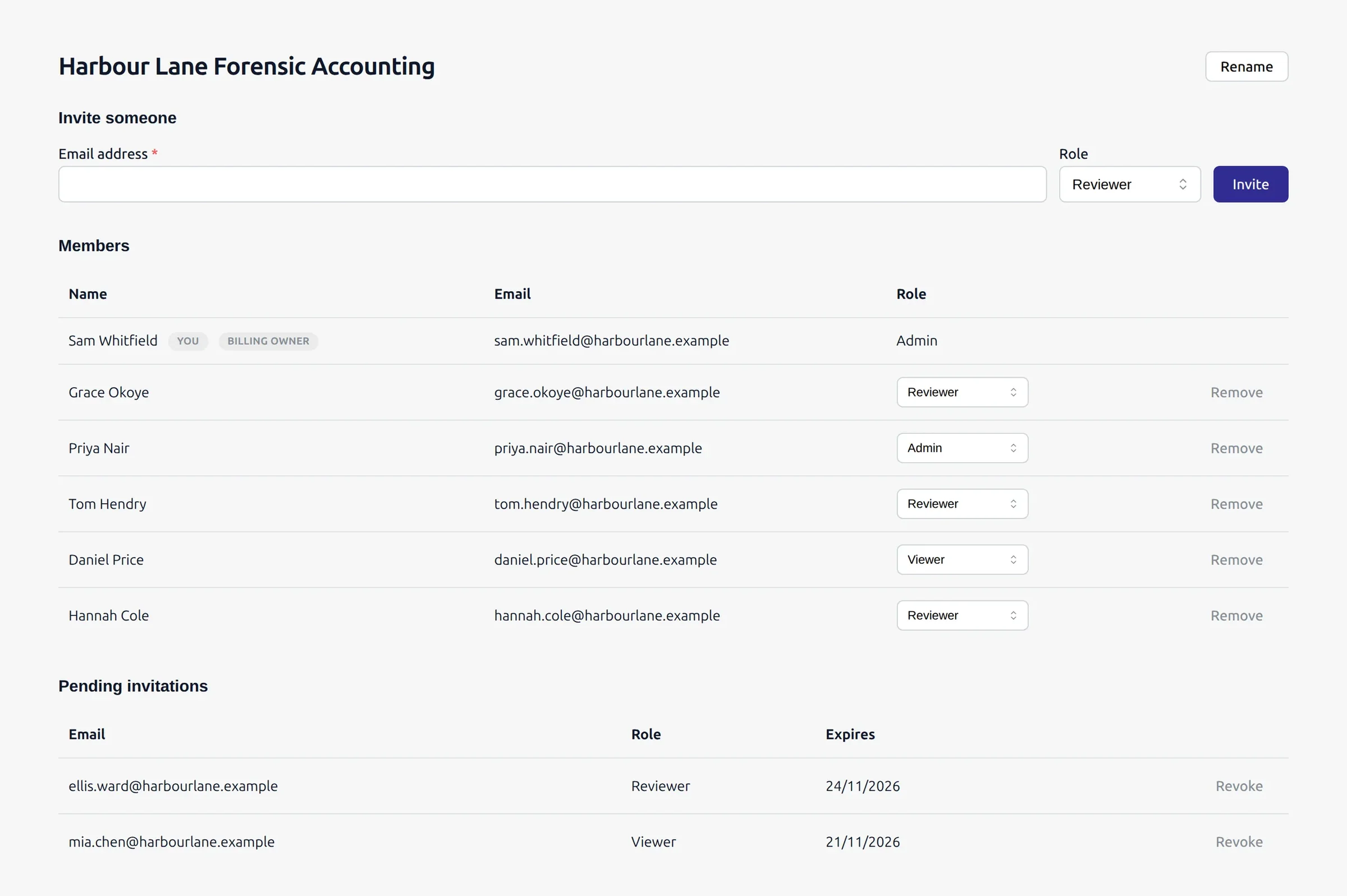
Invite colleagues as admins, reviewers or viewers, share a case's project with the people working on it, and draw everyone's pages from one shared balance. Team access is included on the Growth and Plus plans.
Usage
See where every page goes
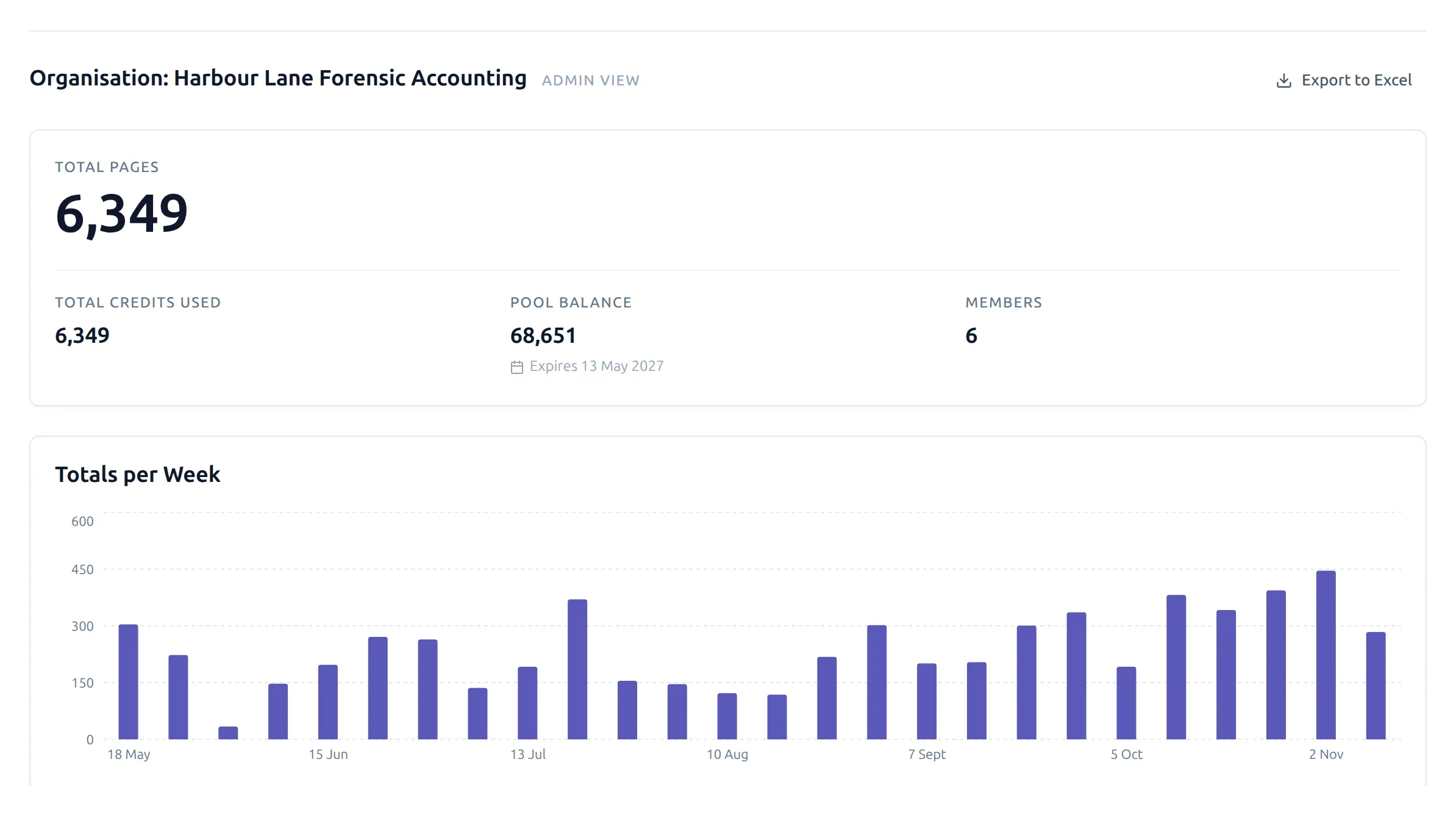
Admins see weekly page totals, pages by member and the shared balance, and every processed document is a line on the credit history with the balance after it. The report exports to Excel.
By the numbers
What you can expect
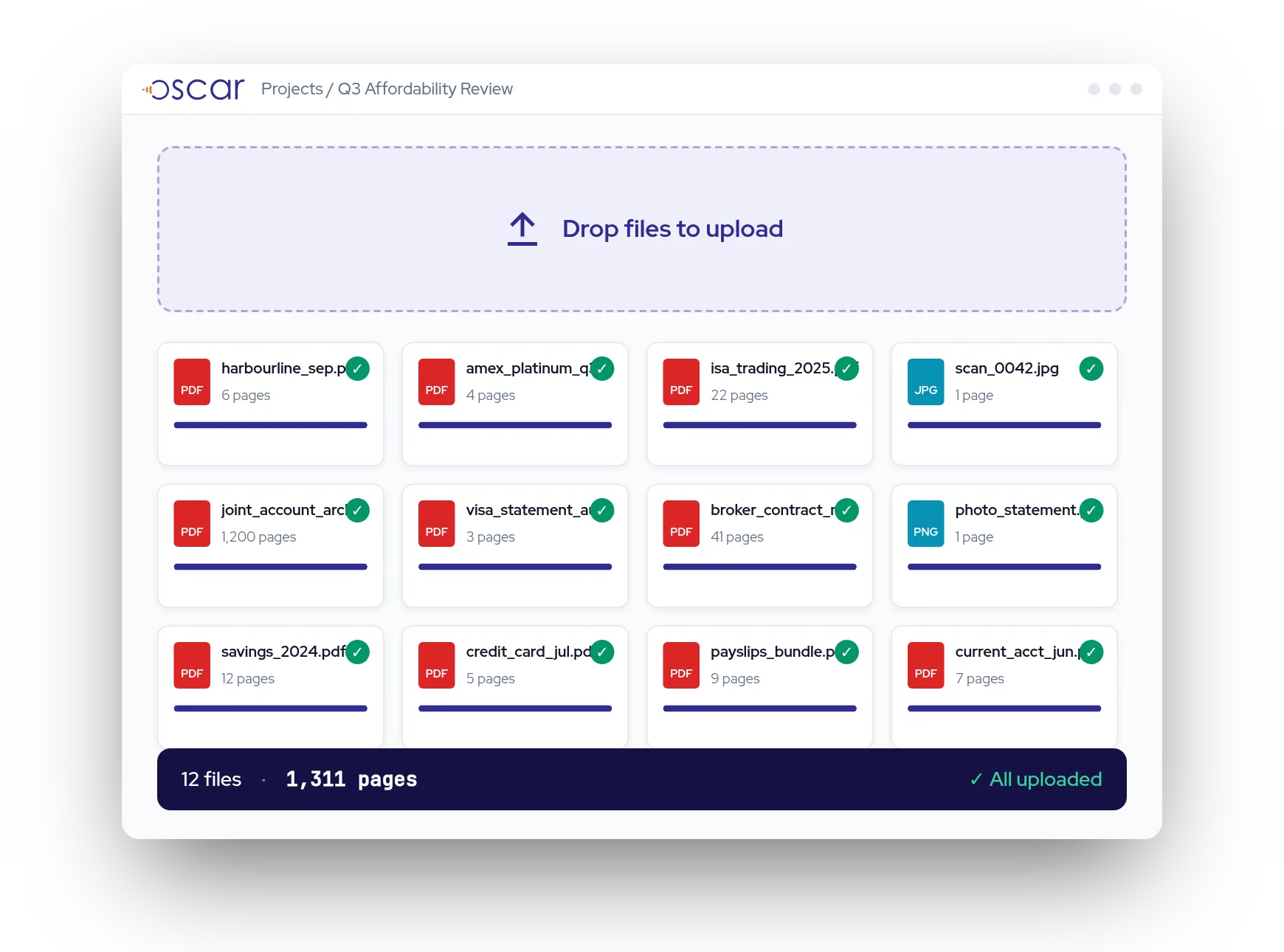
Upload up to 50 files or 500 MB in a single batch. Long documents are split automatically.
Bank, credit card and trading statements, identified automatically.
No column mapping and no training. Oscar reads the document.
FAQ
Frequently asked questions
Do I need to build templates?
No. Oscar identifies the document and its tables itself. There is nothing to configure and nothing to train.
What can I upload?
PDF, PNG and JPEG in your browser, including scanned and password-protected PDFs. You can drag in whole folders.
What can I export?
Excel and CSV from the saved grid, plus plain text and Markdown. Excel can be split per account, and several statements can be exported as one workbook or a zip.
Where is my data held?
Oscar runs on AWS in the London region. AI inference runs within AWS's EU geography.
Can I see what changed?
Yes. Every edit is recorded in the document's change history, and a document can be reverted to its previous state.
Do I need to install anything?
No. Oscar runs in your browser.
See Oscar on your own documents
An hour with your team and your files is worth more than any brochure.